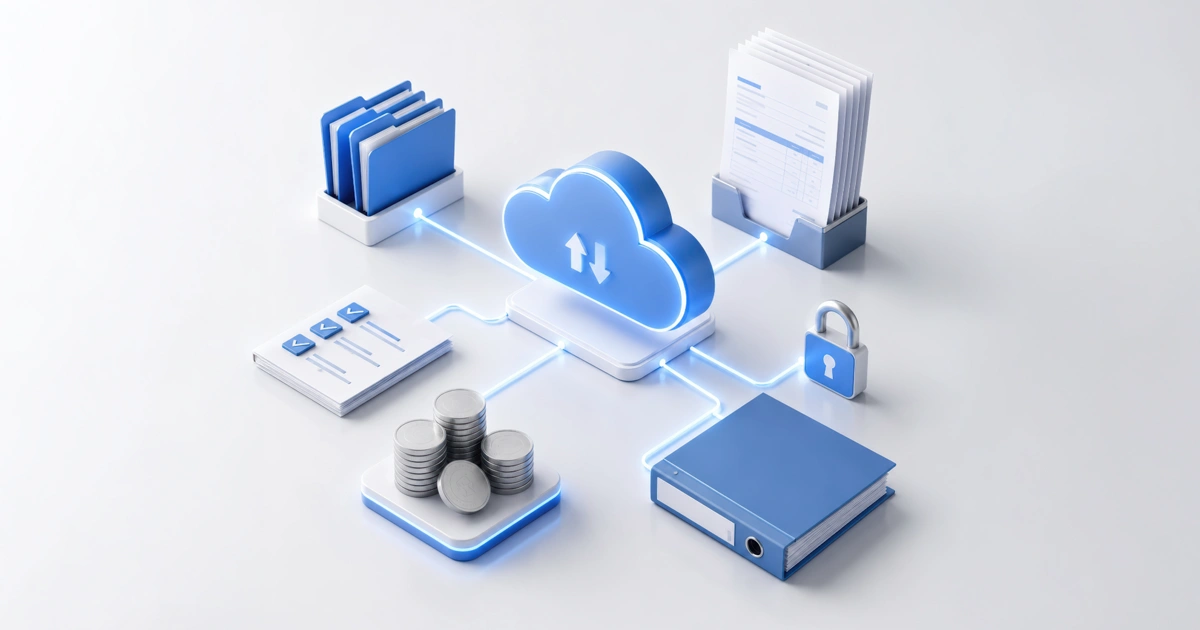
Stop using spreadsheets: Why US businesses are moving to cloud bookkeeping
Jul 23, 202693
Let's be honest: Excel is amazing. It's been the backbone of business for decades. You can make it do almost anything if you're clever enough with formulas. But here's the thing: just because you can manage your bookkeeping in spreadsheets doesn't mean you should.
It's 2026, and US businesses are ditching spreadsheets for cloud bookkeeping faster than ever. This isn't just a trend; it's a fundamental shift in how smart business owners manage their finances. And if you're still clinging to those Excel files? You're working ten times harder than you need to.
The spreadsheet trap we've all fallen into
We get it. Spreadsheets feel comfortable. You've been using them forever. They're familiar. Plus, they're "free" (if you don't count the Microsoft subscription you're already paying for).
But here's what actually happens with spreadsheet bookkeeping:
You start with the best intentions. You create a beautifully organized file with tabs for income, expenses, and bank reconciliation. You even color-code everything. You promise yourself you'll update it daily.
Fast forward three months. You've got seven different versions of the same file (which one is current again?). You forgot to save before your laptop crashed and lost two weeks of work. Your "simple" expense sheet now has 47 columns and formulas so complex that even you can't reme mber what they do. And updating it? That's become a weekend project you keep putting off.
Sound familiar?
What cloud bookkeeping actually means
First, let's clear up what we're talking about. Cloud bookkeeping isn't just "spreadsheets stored in Google Drive." It's specialized accounting software (QuickBooks Online, Xero, etc.) that lives entirely online and is purpose-built for managing business finances.
The difference is like comparing a calculator to a smartphone. Sure, both can add numbers. But one was specifically designed for modern needs.
Here's what happens when you move to cloud bookkeeping:
Your bank transactions import automatically, no more manual transaction entry. Your invoices get sent, tracked, and recorded without you touching them. Your expense receipts get captured with a phone photo. Your financial reports generate themselves. And everything updates in real-time, accessible from anywhere.
It's not magic. It's just what happens when you use tools designed for the job instead of general-purpose software that was never meant to run your finances.
Why US businesses are making the switch
The migration to cloud bookkeeping in the US isn't happening because of slick marketing. It's happening because businesses are realizing they can't compete anymore with yesterday's tools.
The tax compliance pressure is real: The IRS isn't getting more lenient, and state tax requirements keep getting more complex. Cloud bookkeeping software stays updated with current tax rules automatically. Your spreadsheet? It knows nothing about the latest tax code changes unless you manually update every formula.
Remote work changed everything: You can't email a spreadsheet back and forth between your bookkeeper, your accountant, and yourself without creating version control chaos. Cloud systems let everyone work in the same file simultaneously, seeing real-time updates. No more "Final_v3_FINAL_actualfinal.xlsx."
Integration is the new normal: Your payment processor, your bank, your CRM, your e-commerce platform- they all need to talk to each other. Cloud bookkeeping connects with hundreds of business tools automatically. Spreadsheets? You're copying and pasting data manually like it's 1995.
Mobile business is standard: You're approving expenses from your phone, checking cash flow between meetings, sending invoices from client sites. Try doing that efficiently with spreadsheets.
The hidden costs nobody talks about
Here's what spreadsheet bookkeeping is actually costing you, even though it feels free:
Your time: How many hours do you spend each month on transaction entry, reconciliation, and fixing errors? If you're honest, it's probably 10-20 hours. At your hourly rate, that free spreadsheet is costing you thousands of dollars monthly.
Errors that compound: One wrong formula, one misplaced decimal, one row that didn't get copied, and your entire financial picture is off. With spreadsheets, these errors hide until they become expensive problems. Cloud bookkeeping has built-in checks and validations that catch mistakes immediately.
Missed deductions: Spreadsheets don't remind you about deductible expenses. They don't categorize intelligently. They don't flag unusual patterns. How much are you leaving on the table at tax time because your spreadsheet didn't know to alert you?
The panic factor: You know that feeling when your accountant asks for your books, and you realize you're three months behind? Or when you need financial statements for a loan application and have to pull an all-nighter? That stress has a cost to your health, your relationships, and your decision-making.
What business owners wish they'd known sooner
We talk to dozens of business owners every month who've made the switch from spreadsheets to cloud bookkeeping. They all say similar things:
"I thought it would be complicated to set up. It took less time than organizing my spreadsheets."
"I was worried about the monthly cost. I'm saving way more than that in time alone."
"I should have done this three years ago. I've been torturing myself for no reason."
The biggest regret? Waiting too long. Because here's the thing: the longer you wait, the messier your spreadsheets get, and the harder the transition becomes. It's like organizing a closet, easier to do when it's moderately messy than when it's exploded into chaos.
The security wake-up call
Let's talk about something most people don't think about until it's too late: security.
Your spreadsheet with all your financial data, bank accounts, vendor information, customer details, social security numbers- where is it? On your laptop? In Dropbox? On a USB drive in your desk drawer?
What happens when your laptop gets stolen? When your hard drive fails? When ransomware hits? When an employee leaves and still has access to all your financial files?
Cloud bookkeeping platforms have bank-level encryption, automatic backups, multi-factor authentication, and detailed access controls. They're monitored 24/7 by security teams. They're compliant with financial data regulations.
Your spreadsheet? It's protected by whatever password you hopefully remembered to add.
Several of our clients came to us after data loss incidents. One had three years of financial records on a laptop that got stolen from their car. Another had a corrupted hard drive with no backup. These aren't scare tactics; this is reality.
Making real-time decisions
Here's where cloud bookkeeping transforms from "nice to have" to "competitive necessity."
When your books are in the cloud and updating automatically, you can make decisions today based on today's data. Not last month's. Not "I think we're okay but let me check my spreadsheet."
You can see your cash position right now. You know exactly which invoices are outstanding. You can pull up profitability by product line in 30 seconds. You can share a P&L statement with your accountant without sending files back and forth.
This matters more than most people realize. Business moves fast. Opportunities have expiration dates. The ability to say "yes" or "no" with confidence, immediately, based on current financial data? That's not just convenient. It's a competitive advantage.
The transition isn't as painful as you think
The number one reason people stay with spreadsheets is fear of the transition. "It'll take forever to set up." "My data's a mess." "I don't have time to learn new software."
Reality check: Most businesses are up and running in cloud bookkeeping within a week. Many within a day.
Here's why it's easier than you think:
Modern setup wizards walk you through everything step-by-step. Your bank transactions import automatically, going back months. Most platforms have migration tools that pull in your existing data. And the learning curve? If you can use email and browse websites, you can use cloud bookkeeping software.
Plus, you're not alone in this. Professional bookkeeping services (like ours) specialize in these transitions. We've moved hundreds of businesses from spreadsheets to cloud systems. We clean up the data, set up the system properly, and train you on exactly what you need to know, nothing more, nothing less.
What the next five years look like
Here's what we're seeing in the industry: within five years, spreadsheet-based bookkeeping will be as outdated as keeping physical ledgers in file cabinets.
It's already happening. Banks are increasingly requiring cloud-based financials for loan applications. Investors expect it. The IRS is moving toward more digital integration. Insurance companies want real-time data for certain policies.
The businesses adapting now are positioning themselves for the future. The ones clinging to spreadsheets? They're creating a growing technology debt that'll eventually force a rushed, stressful migration.
The bottom line on spreadsheets
Excel isn't going anywhere; it's still fantastic for analysis, projections, and specialized reporting. But as your primary bookkeeping system? Its time has passed.
Cloud bookkeeping isn't more expensive when you factor in your time. It's not more complicated when you consider the errors and stress you're avoiding. It's not overkill when you understand what you're missing.
The question isn't whether to make the switch. It's how much longer you're willing to work harder than necessary.
Your competitors have already moved on. Your industry has already shifted. The tools that got you here won't get you where you're going.
It's time to stop using spreadsheets for bookkeeping. Not because there's anything wrong with spreadsheets, but because there's something so much better available.
People also ask
Q1. Is cloud bookkeeping software more expensive than using spreadsheets?
A1. On the surface, yes, cloud bookkeeping costs $15-$70 monthly depending on the platform and features. Spreadsheets appear free. But the real cost comparison tells a different story. Spreadsheet bookkeeping typically requires 10-20 hours monthly of manual work.
At even a modest hourly rate, that's $200-$500 in time costs. Add in higher error rates (which lead to tax penalties, missed deductions, and poor decisions), the cost of data loss risk, and the inability to make real-time decisions, and spreadsheets become far more expensive. Most businesses save 2-5x the software cost in time alone, before counting other benefits.
Q2. Can I really trust my financial data to the cloud?
A2. Cloud bookkeeping platforms actually provide better security than local spreadsheets. They use bank-level encryption (256-bit AES), multi-factor authentication, automated backups, and 24/7 security monitoring. They're SOC 2 compliant and regularly audited. Compare this to spreadsheets on laptops that can be stolen, hard drives that can fail, or files that can be accidentally deleted.
Major platforms like QuickBooks, Xero, and others have never had significant data breaches affecting user financial data. Your data is safer in a professionally managed cloud system than on any personal device. Plus, you have detailed access controls, something impossible with emailed spreadsheets.
Q3. How hard is it to switch from spreadsheets to cloud bookkeeping?
A3. The transition is simpler than most people expect. Basic setup takes a few hours to a day for most small businesses. Modern platforms have intuitive setup wizards, and many offer free migration assistance.
The process typically involves: connecting your bank accounts, importing historical data, setting up your chart of accounts, and initial categorization. If your spreadsheets are particularly messy, professional bookkeeping services can handle the cleanup and migration, often within a week.
The learning curve is gentle; most users are comfortable within 2-3 weeks of regular use.
Q4. What happens to my data if I stop paying for cloud bookkeeping software?
A4. Legitimate cloud bookkeeping platforms always allow you to export your data, even if you cancel your subscription. You can typically download reports, transactions, and complete backups in standard formats (CSV, PDF, Excel).
Most platforms give you a grace period (30-90 days) to export everything before archiving. This is fundamentally different from losing access to files on a failed hard drive or corrupted spreadsheet.
However, this highlights why choosing established platforms matters: go with QuickBooks, Xero, FreshBooks, or other major providers with long track records, not obscure startups that might disappear. Your data is your business asset, and reputable platforms respect that.
Q5. Will cloud bookkeeping software work with my accountant?
A5. Almost certainly yes, and they'll probably love you for it. Most CPAs and accountants strongly prefer cloud bookkeeping over spreadsheets. Major platforms like QuickBooks and Xero allow you to easily grant your accountant access with appropriate permissions. They can review your books anytime without you emailing files.
Many accounting firms have standard processes built around specific platforms. Tax preparation becomes smoother because data is already organized correctly. Some accountants even offer discounted rates for clients using cloud bookkeeping because it dramatically reduces their prep work.